Send Model (SM)
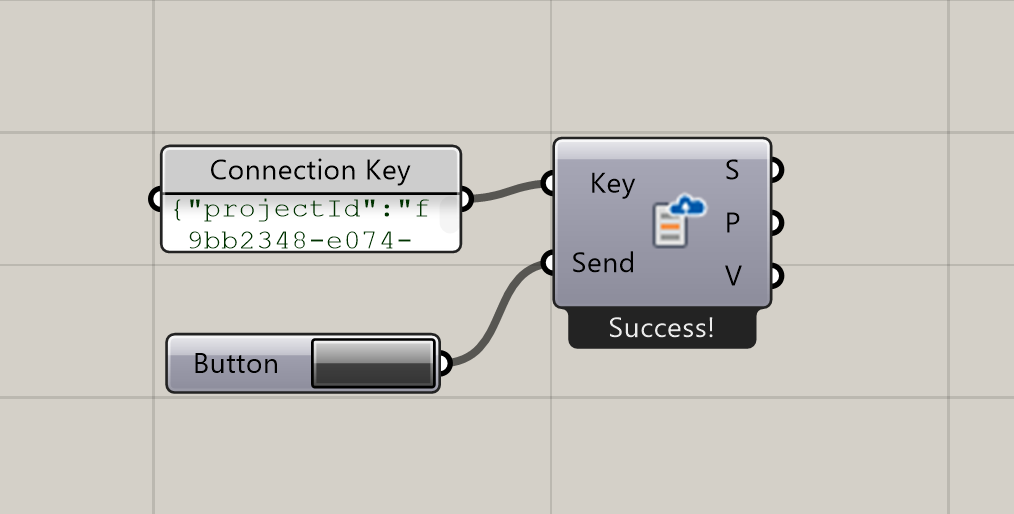
Send your Grasshopper model to an InForm design in Sandbox Mode, allowing real-time interaction and live updates.
To obtain a Sandbox connection key, create a design on inform.arup.com and open it in Sandbox mode.
📸 Component Screenshot
📂 Component Location
Tab: 7. Connect
📝 Description
The Send Model (SM) component uploads your model to an active InForm Sandbox session. Once connected, every time the Send boolean is triggered, InForm receives the updated geometry, materials, charts, and UI elements generated by your Grasshopper script.
📁 Example File
🔌 Inputs
| Abbrev. | Full Name | Type | Description |
|---|---|---|---|
| Key | Connection Key | JSON | The Sandbox connection key obtained from inform.arup.com. |
| Send | Send | Bool | Triggers sending the full model to the active Sandbox session. |
🔄 Outputs
| Abbrev. | Full Name | Type | Description | Suggested Connections |
|---|---|---|---|---|
| S | Status | Text | Status message indicating whether the model was successfully sent. | Connect to a Panel to inspect messages or debug sending issues. |
| P | Plugins | Text | List of plugins supported on the InForm Web Platform and available for use. | Connect to a Panel to view all plugins supported by the Web platform. |
| V | Plugin Version | Text | Version information for the plugins supported by the Web platform. | Connect to a Panel to inspect the supported plugin versions on the Web platform. |