Input File (IF)
Import a .csv or .gwb (GSA) file into InForm This allows the file content to be read and internalized inside the Grasshopper script before being displayed or processed in the InForm web interface.
📸 Component Screenshot
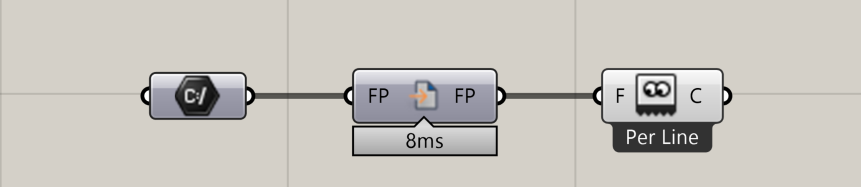
📂 Component Location
Tab: 1. Inputs
📝 Description
Users can upload a .csv or .gwb file, which is then passed into the Grasshopper script for parsing. This is useful when workflows require external data—such as tables, parameters, or GSA model files—to be processed before visualization.
📁 Example File
🔌 Inputs
| Abbrev. | Full Name | Type | Description |
|---|---|---|---|
| FP | File Path | GH File Path component | Path to the user-selected .csv or .gwb file. |
🔄 Outputs
| Abbrev. | Full Name | Type | Description | Suggested Connections |
|---|---|---|---|---|
| FP | File Path | Text / Number | The content of the file referenced in the input. | Connect to components such as Read File (Per Line) to extract and use the file data in the rest of the script. |